

For Adrian Labs users, on prem AI means running local models on your own device or connecting your own API key, rather than routing every request through Adrian's hosted infrastructure. Choose local or bring-your-own-API when privacy, ownership, or offline access matters most; lean on cloud or a hybrid setup when a task demands heavier reasoning than a small on-device model can deliver. The sections below walk through exactly when and how to build each path.
TL;DR:
- Local models under 1 GB run smoothly on mid-range phones, while larger models above 3 GB require high-end hardware, limiting user accessibility.
- Hybrid routing often balances privacy, speed, and offline functionality by handling simple tasks locally and escalating only complex reasoning to cloud.
- Securing BYO API keys involves encrypting storage, routing requests carefully, and providing users with instant revocation options to prevent security breaches.
- Prototyping AI models on desktop with tools like Ollama or llama.cpp saves development time and helps verify quality before mobile implementation.
- Adrian Labs supports fast integration of local and BYO API features with project separation, automatic validation, and live previews, simplifying ownership-focused AI development.
Table of Contents
- What "On Prem AI" Actually Means for Adrian Labs Users
- When Should You Use Local Models, BYO API, Cloud, or Hybrid?
- What Hardware and Runtime Do You Actually Need?
- How Do You Actually Ship a Local or BYO Feature?
- How Does Adrian Labs Support Local and BYO API Workflows?
- Why the Conventional Advice on This Topic Undersells the Local Option
- Build Your Local or BYO Features on Adrian Labs
- Sources
What "On Prem AI" Actually Means for Adrian Labs Users
Let's clear up the confusion first. When we talk about on prem AI in the Adrian Labs context, we don't mean an enterprise IT department racking up GPUs in a server room. We mean something more personal: a local model running directly on your device, or your own API key routing requests to a provider you chose and control. That's it. No orchestration layer, no monitoring dashboard, no data center lease.
This distinction matters because the trade-offs are different too. Local inference keeps every request on your device, which means no per-request API bill and no network round trip. It also works when you have no connection at all, on a plane, in a basement office, on a job site with spotty coverage.
The benefits are real but not free. Here's what you're actually weighing:
- Privacy: nothing leaves the device, which matters if you're building for regulated industries or just don't want your users' data touching a third-party server.
- Ownership: you control the model, the key, and the routing logic. No vendor can change pricing on you overnight.
- Offline capability: your app keeps working without Wi-Fi or cell service.
- Storage and battery cost: local models add hundreds of megabytes to gigabytes to your app, and inference drains battery faster than a network call.
- Cold starts: the first load after a fresh install or update can feel sluggish while the model warms up.
None of these trade-offs are dealbreakers on their own. They're just the bill that comes with the benefits, and you should know the number before you order.
When Should You Use Local Models, BYO API, Cloud, or Hybrid?
Most teams overthink this decision. It usually comes down to four questions: how sensitive is the data, how fast does the response need to be, does the feature need to work offline, and how complex is the reasoning task. Answer those honestly and the architecture picks itself.
Here's a working checklist:
- Privacy-sensitive or regulated data (health notes, financial figures, anything a user would not want leaving their device) points toward local models, full stop.
- High-frequency, low-complexity calls (autocomplete, simple classification, quick formatting) belong locally too, since a network hop adds latency for no real gain.
- Offline requirements (field apps, travel tools, anything used where connectivity is unreliable) rule out cloud-only by definition.
- Heavy reasoning tasks (multi-step planning, long-context analysis, complex code generation) usually exceed what a sub-3GB on-device model can do well, so cloud remains the better call.
- Cost at scale: at low usage, cloud API costs are trivial. At high volume, local inference often wins on per-request cost because you're not paying per token forever.
Hybrid routing is the pattern most production apps land on: handle the frequent, sensitive, or simple calls locally, and escalate to cloud only when the task genuinely needs it. Build the escalation logic so it's invisible to the user. A brief spinner and a clear fallback message beat a silent failure every time.
If you're going the BYO API route, treat key security as a first-class requirement, not an afterthought. Check where the key is stored, whether it's encrypted at rest with something like AES-256-GCM, whether requests route through your own servers or go direct from device to provider, and whether the user can revoke the key instantly if it's compromised.
Pro Tip: Don't build your escalation logic as an afterthought. Design the "local failed, now what" path before you ship the local feature, because that's the moment users notice if you got it wrong.
What Hardware and Runtime Do You Actually Need?
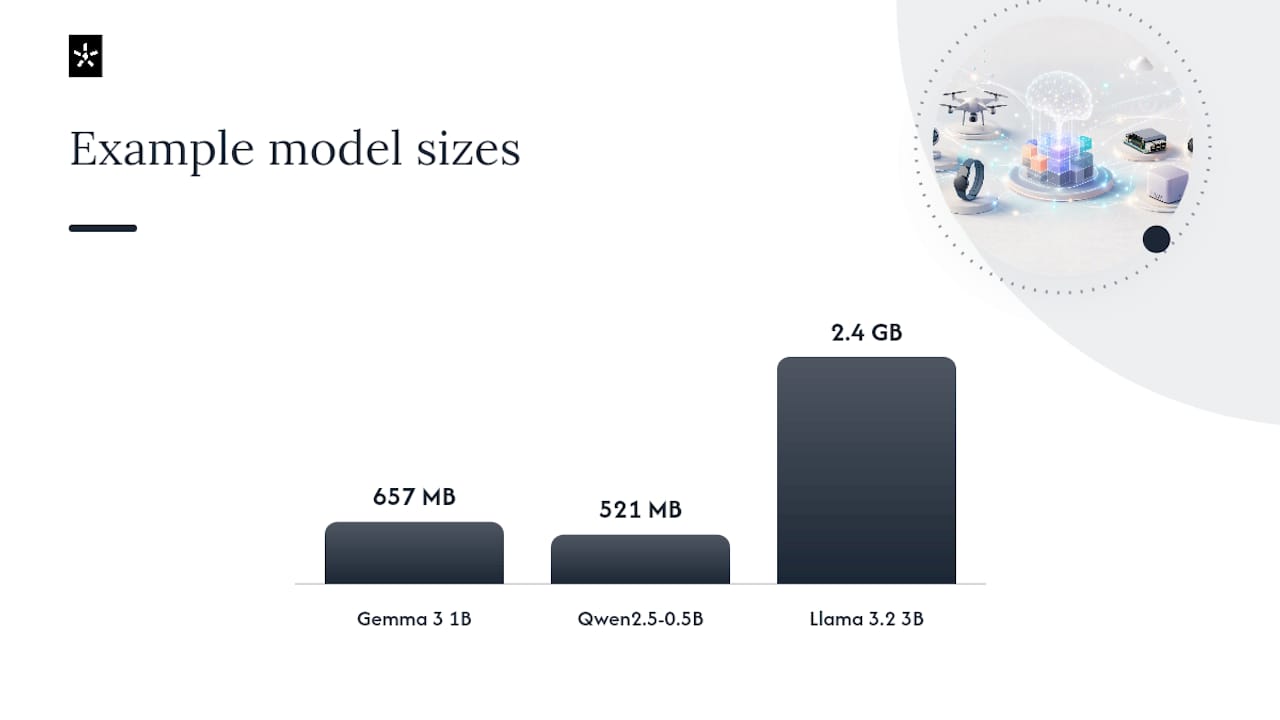
Model size dictates almost everything downstream, so start there. Models under 1 GB run comfortably on mid-range phones; think Gemma 3 1B at roughly 657 MB or Qwen2.5-0.5B at around 521 MB. The 1 to 3 GB range, home to models like Llama 3.2 3B at about 2.4 GB, needs a recent flagship device with more RAM and storage headroom. Anything above 3 GB should be reserved for top-tier hardware only, and even then, expect some users to bail rather than download it.
Runtime choice should follow the model family and platform, not personal preference:
- LiteRT / MediaPipe for Gemma and other Google-aligned models.
- ExecuTorch for PyTorch-based models, including the Llama family.
- Core ML for anything running on Apple hardware where you want native acceleration.
- WhisperKit specifically for on-device speech recognition on Apple platforms.
- ONNX as a cross-platform option when you need broader device coverage.
NPU acceleration is where the real performance gains live. CPU-only inference works for prototyping, but it's not production-grade for anything beyond the smallest models. Users notice the lag, and battery drain becomes a support ticket generator.
Download UX deserves as much thought as the model choice. Defer the download until the user actually needs the feature, show a clear consent screen explaining the size and purpose, display real progress rather than a spinner, and make sure uninstalling the model doesn't break the rest of the app. A model that silently eats 2 GB of storage without asking is the fastest way to earn a one-star review.
How Do You Actually Ship a Local or BYO Feature?
Skip the temptation to build straight for mobile. The fastest, cheapest way to answer "will this even work" is on a laptop.
- Prototype on desktop first. Run candidate models through Ollama or llama.cpp before writing a line of mobile integration code. This answers the quality question in an afternoon instead of a sprint.
- Build a real evaluation set. Pull together 50 to 100 examples that represent your actual use case, and define what "good enough" means before you start testing models against it. Vague impressions don't scale; a defined metric does.
- Implement explicit capability states. Your app should always know whether a feature is ready, needs a download first, or is unsupported on this device, and it should communicate that state clearly rather than failing silently.
- Build the escalation path deliberately. When local quality falls short, the app should hand off to cloud smoothly, not dump an error on the user.
- Instrument telemetry that respects privacy. Track whether users accept the local model's output, without logging the content itself. Acceptance rate tells you more than raw accuracy ever will.
Pro Tip: Run your evaluation set against both the local model and the cloud equivalent before you ship anything. If the local model closes even 80% of the quality gap for a task users run constantly, that's usually a win once you account for cost and latency.
This sequence exists to catch expensive mistakes early. Skipping the desktop prototype step is the single most common way teams burn weeks discovering a model simply isn't good enough, after they've already built the mobile plumbing around it.
How Does Adrian Labs Support Local and BYO API Workflows?
The platform supports running local models directly on your machine or plugging in your own API key to route requests through the provider you choose, without needing to trust a black box with your code or data.
That matters because the platform work happens around those choices, not instead of them. The platform handles planning, UI design, and full-stack code generation with live previews, autonomous debugging that catches issues without manual review cycles, and project isolation that keeps work separated and secure. Releases go through integrity verification to reduce risks in the AI-driven build process.
If you're ready to put this into practice:
- Read the guide to running Adrian locally for setup specifics.
- Check which local model fits your machine's RAM before you commit to a download.
- Review what BYO API actually costs if you're leaning that direction instead.
Why the Conventional Advice on This Topic Undersells the Local Option
Most guidance on this subject treats local models as a compromise, something you settle for when the network is down or the budget is tight. That framing gets it backwards. For a huge share of what indie developers and small teams actually build, autocomplete, quick classification, offline note-taking, a local model isn't a lesser option. It's the correct one, and cloud is the compromise you reach for only when the task genuinely outgrows it.
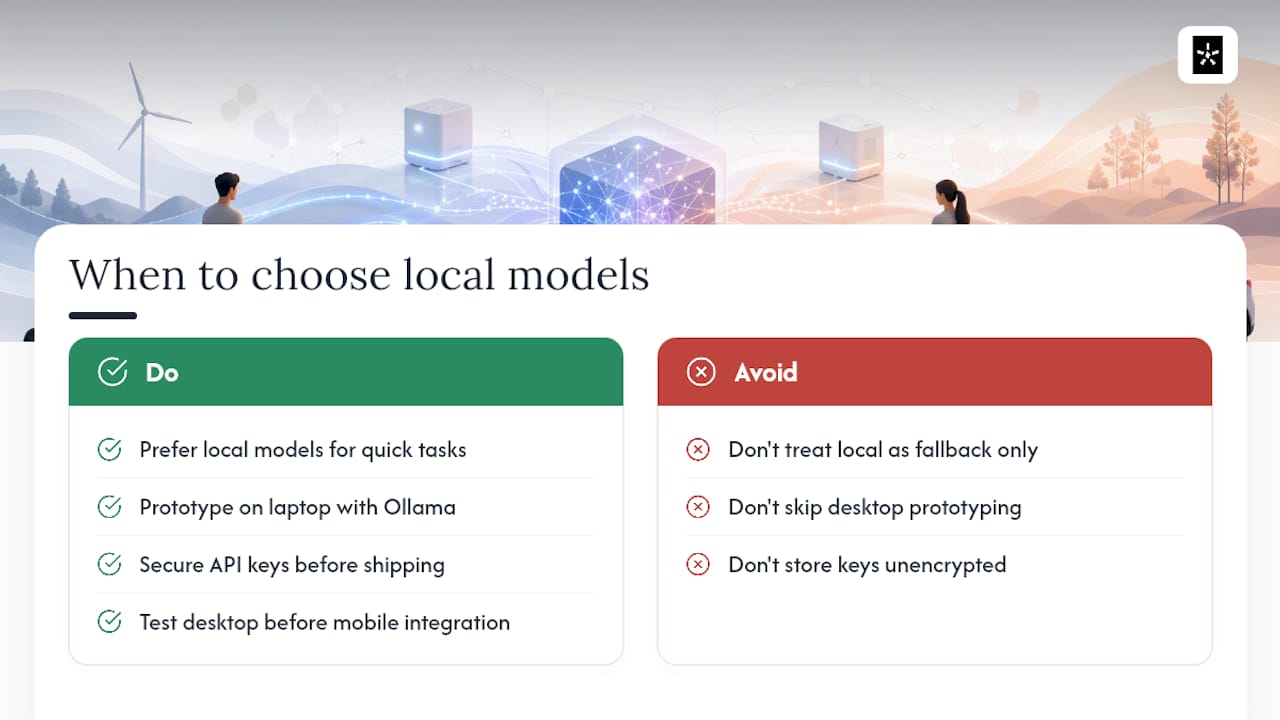
The bigger mistake I see is skipping the desktop prototype step entirely. Teams jump straight to mobile integration, burn two weeks on plumbing, and only then discover the model they picked can't handle the task. Test on a laptop with Ollama first. It costs an afternoon.
The other place conventional advice falls short is BYO API security. Plenty of guides treat it as a one-line settings field. It's not. Where the key lives, how it's encrypted, whether it routes through your servers, these decisions determine whether a compromised key is a minor annoyance or a real liability. Get that part right before you ship anything else.
— Adrian
Build Your Local or BYO Features on Adrian Labs
If you've read this far, you already know local models and BYO API keys aren't a fallback plan. They're often the right architecture from the start, and Adrian Labs is built to let you act on that immediately instead of stitching it together yourself. Unlike a traditional development shop that would quote you weeks of custom integration work to wire up local inference or key routing, Adrian gives you both options inside the same build flow you're already using to ship your app.
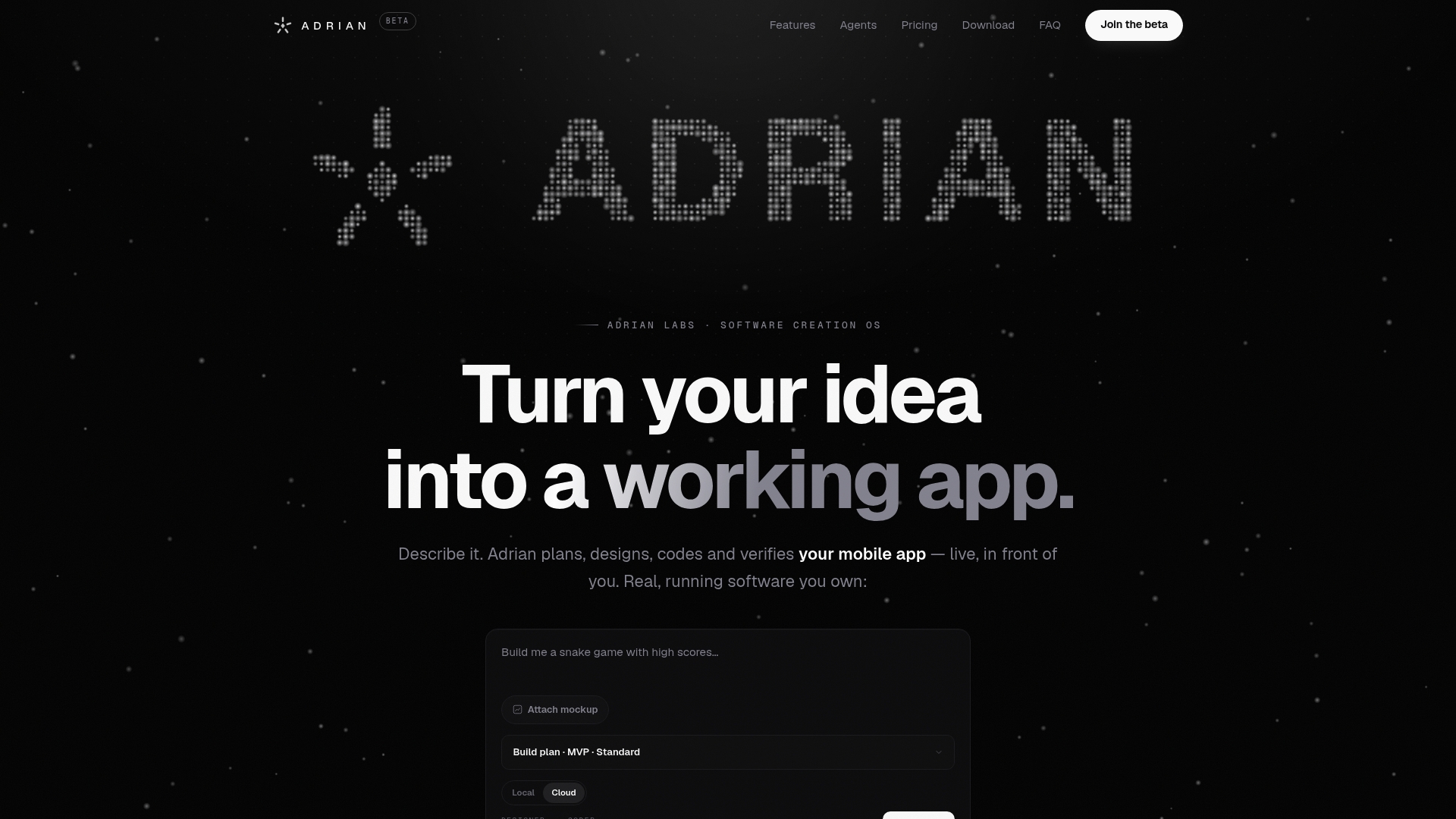
Describe the feature you want, whether that's an offline-capable note tool or a BYO-key chat interface, and Adrian plans, codes, and previews it live while you watch. Project isolation keeps your work contained, and every release goes through integrity verification before it reaches you. If ownership and control are why you're considering local or BYO in the first place, that same philosophy runs through the whole platform.
Head to Adrian's platform and start building your next feature with local models or your own API key today.
Sources
A few resources worth bookmarking as you build:
- Local LLMs on Mobile Devices: A Developer's Field Guide — Alevit Blog — Alevit
- Local LLM in mobile apps: cost, privacy, and the React Native reality | CasaInnov
- BYOK AI: 7 questions to ask before you paste your API key | Scribelet